PaintViz
PaintViz
BenefitsExamplesCase StudyPricing
Use Cases
Close more jobs
Show the finished house at the kitchen table
Generate leads
Capture website visitors with the embed widget
Automate color consults
Replace evening calls with self-serve share links
See all use cases →
Blog
Login

For painters losing evenings to unpaid color consults

Automate Color Consultations With Self-Serve Share Links

Send the homeowner a Paintviz link after the bid. They play with colors on their own time. You see every render in your dashboard. Color decisions in days, not weeks.
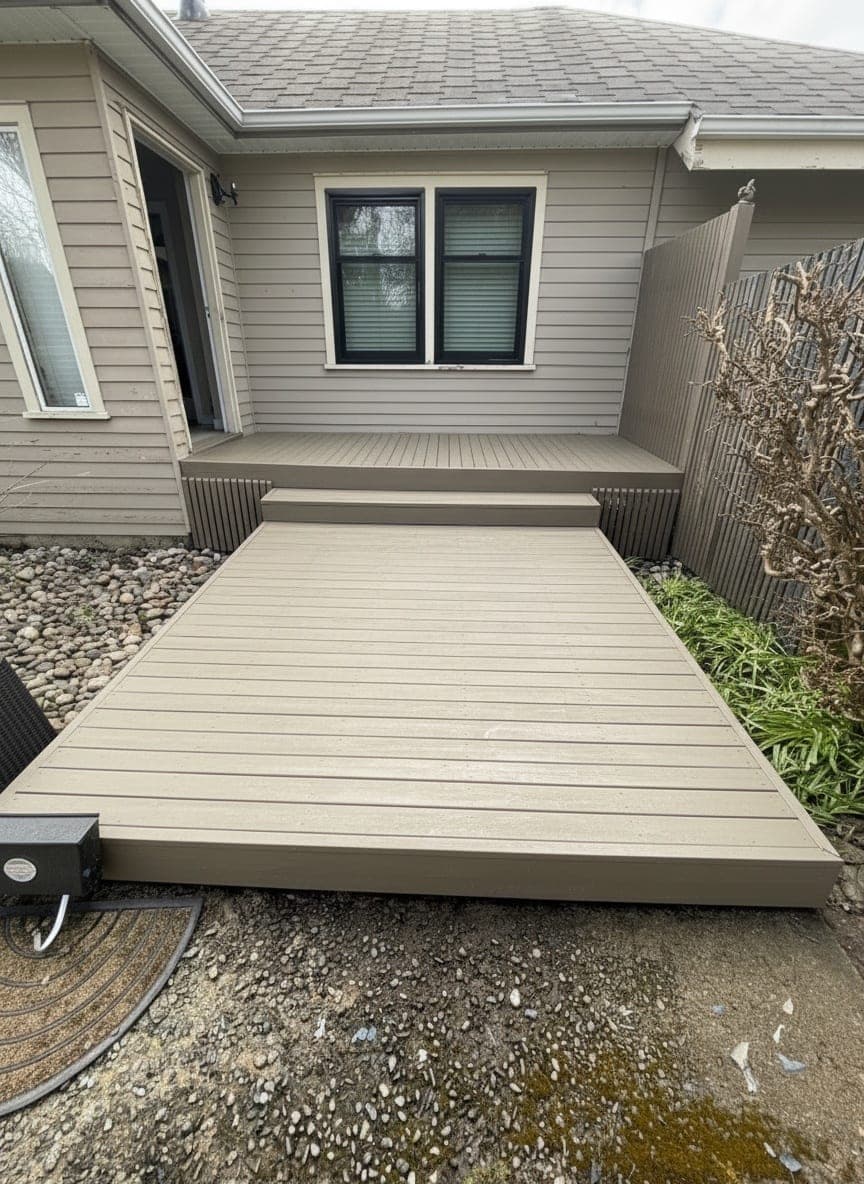
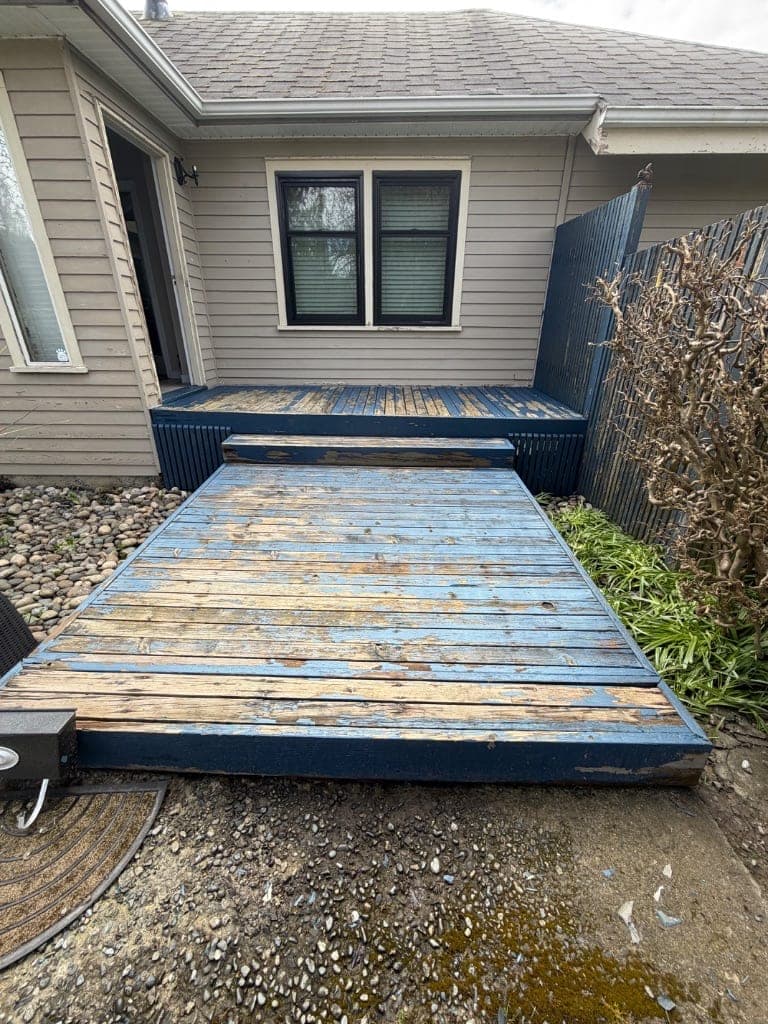
The evening color consult problem

You finished the bid two weeks ago. The job's signed. Color spec is "TBD, will confirm." Then the texts start.

"Hey real quick, can you tell me what Hale Navy looks like next to our front door?"

"Sorry, one more, my husband saw something called Sea Salt on Pinterest. Is that a good color for our living room?"

"Just put the swatches on the wall, can you call when you have a minute? They look way different than I thought."

You take the call at 8:47 PM. You know how this goes. Forty-five minutes of "what about a little warmer" and "I don't know, it just feels off." You hang up. The colors aren't picked. The job's still on the schedule. You haven't billed for any of this.

That's the residential color consult tax. Most painters who track it report 4 to 10 hours a week pulled into evening calls and texts about colors that haven't been finalized yet. Some painters charge for it. The going rate for residential color consultants is $85 to $200 an hour, and project-based color consults run $175 to $500 for typical residential work. Most painters who do this themselves don't charge a dime. The homeowner expects the color help as part of the bid, and the conversation about adding it as a line item is more uncomfortable than just eating the time.

So the time gets eaten. Five hours a week, fifty weeks a year, is 250 hours. At any reasonable hourly value of your time, that's a paid trip your business never takes.

The fix isn't charging more. It's not even charging at all. The fix is replacing the phone call with a tool the homeowner uses on their own time.

How share links replace evening calls

A homeowner sitting on a couch in the evening, holding a phone showing a paint color visualizer of their own living room

Here's the workflow Paintviz painters run after the bid is signed:

  1. At the walk-through, take photos of every space that's getting painted. You're already doing this for the bid. Same photos, same five minutes.
  2. Generate a Paintviz share link tied to those photos. Two clicks in the Paintviz dashboard. The link knows which photos belong to which client.
  3. Text the link to the homeowner that night. Something like: "Hey, here's a link to play with the colors on your own time. Try anything you want, I can see what you render. Text me when you've narrowed it down."
  4. Let them play. They open the link on their phone, on the couch, in the evening, at their pace. They try Hale Navy. Then SW Naval. Then back to Hale Navy. They show their husband. They try a beige they hadn't considered. Forty minutes later they've got a top three.
  5. You see every render in your dashboard. Color combinations, timestamps, the photos they applied them to. When they text "we love Hale Navy with white trim," you already know it's the right call because you watched them land there.

The phone call goes away. Or rather, the four-week back-and-forth turns into one short text exchange where the homeowner is telling you the answer instead of asking you the question. You're not on the phone for an hour at 8:47 PM. They're not waiting two days for you to send sample photos that don't quite show what they wanted to see.

Color decisions happen in a few evenings instead of a few weeks, and the painter's evenings are the painter's again.

Cody Walker, owner of Switchyard Construction, put it like this when he switched to using share links for his residential clients:

"I'd recommend Paintviz to any small contractor. It finally gave me a cost-effective way to get through color selection with customers and it checks all the boxes."

The share link doesn't eliminate every conversation. Sometimes the homeowner still wants to talk through a tradeoff. But the conversation starts with "I tried these three combinations and I love this one" instead of "I have no idea what to do." That's a five-minute call, not a forty-five-minute one.

The render limit control

You can cap a share link at any number of renders per session. Five is a common default. Ten if you want to be generous. The cap does three things:

  1. It protects your render quota. A bored homeowner can run through a hundred renders in an evening if there's no ceiling. The cap prevents one client from burning your monthly allowance.
  2. It creates a natural commitment moment. When the homeowner sees "you have 2 renders left" they treat the next pick like a real decision instead of an infinite playground. Engagement quality goes up, not down.
  3. It gives you a follow-up cue. When a homeowner hits the cap, your dashboard logs it. That's the moment to text "I see you've been narrowing things down, want to lock it in?" The cap converts open exploration into a clear decision point.

You can override the cap per client if you want. Some painters bump the limit to 20 for the homeowner who genuinely wants to explore the whole house. Most leave it at 5 and let the structure do its work.

The painter dashboard story

Every render the homeowner generates saves to your Paintviz dashboard, organized by client and project. Filter by date, by homeowner, by project. Look back at any house, any quote, any color decision you helped make.

The "what did we decide again?" problem disappears. When the homeowner texts you in week three saying "we're ready to start, we picked the second one we tried," you don't have to remember which "second one" that was. You open the dashboard, see the renders in order, and know exactly which Hale-Navy-with-white-trim combination they're talking about.

It also makes the punch list easier. When the crew shows up and asks which color goes where, you've got the homeowner's selected render saved with the spec. No screenshots in a text thread. No hunting through emails for the conversation where they confirmed.

For multi-room interiors and big exteriors, this becomes the actual project record, not a side artifact.

Pricing and trial

Paintviz is $47 per month after a 14-day free trial. No card today. Share links are included on every plan, including Essentials.

The 30-day refund-the-first-$47 guarantee still applies. If sending a Paintviz share link doesn't replace at least a few hours of evening color consults in your first month, email us and we'll send the $47 back.

The math is simple. If share links save you four hours a week of unpaid phone calls, you've recovered most of a workday a month. The subscription's the easiest expense your business will ever justify.

Frequently Asked Questions

How much time do painters spend on unpaid color consultations?+
It varies, but the painters who track it usually report 4 to 10 hours a week pulled into 'just one more color question' calls and texts. That's a part-time job's worth of evenings and Saturday mornings, almost always unpaid. The hours don't show up in any P&L line, which is part of why it goes unfixed: it feels like the cost of doing residential work, not a problem with a solution.
Should painters charge for color consultations?+
Some do, most don't. The painters who charge typically run $85 to $200 an hour or $175 to $300 per project for interiors, $300 to $500 for exteriors, in line with what professional color consultants charge. The painters who don't charge usually feel they can't, the homeowner expects it as part of the bid. Both are fine. The Paintviz angle isn't about charging more for the consult, it's about getting your evening back without a billing conversation.
What is a color consultation?+
It's the back-and-forth where a painter helps a homeowner pick the actual paint colors for their job. Sometimes it's a 20-minute walk-through of a paint deck on the kitchen counter, sometimes it's a series of evening phone calls where the homeowner has new questions every time they look at the swatches in different light. The consult is the bridge between the bid and the final color spec on the work order.
How long does a color consultation usually take?+
A focused in-person consult on a single-color exterior or one-room interior runs 20 to 45 minutes. The remote consult is the time-killer. Once a homeowner has the swatches at home, every change in light or every conversation with their spouse generates a new question. Stretched across two weeks, that's where the 4 to 10 hours a week goes. The Paintviz share link replaces those open-ended phone calls with a self-serve tool that records every render to your dashboard.
How do I do a color consultation remotely?+
The traditional way is phone calls and emailed sample photos, which is exactly the workflow that eats your evenings. The Paintviz way: send a share link after the bid, the homeowner uploads photos of their actual rooms, picks colors from real Sherwin-Williams or Benjamin Moore palettes, and generates renders on their own time. You see every render in your dashboard with a timestamp. When they text you the final pick, you've got context.
What's the difference between a color consultation and a paint visualization?+
A traditional color consult is conversation: 'I'm thinking maybe a navy with white trim, but I'm not sure.' A paint visualization is proof: a photo of their actual house in that exact navy and trim. Visualization doesn't replace the consult, but it answers the questions that drove most of the calls. The homeowner can see whether their idea works without you on the phone.

Try Paintviz on your next estimate

14-day free trial. No charge today. Use it on tonight's estimates and decide.

PaintViz

PaintViz

The AI paint color visualizer built for residential painting contractors. Show homeowners the finished look during the estimate and close more jobs the same day.

Product

  • Pricing
  • Use Cases
  • Case Study
  • Book a Call
  • Login

For Painters

  • Painting Estimating Software: Complete Painter's Guide
  • How Painting Contractors Get More Leads — PaintViz

Resources

  • Blog
  • Sherwin-Williams Visualizer

Alternatives

  • ColorSnap

© 2025 PaintViz. All rights reserved.

Privacy PolicyTerms of Service