Generate Leads From Your Painting Website
Drop the Paintviz embed widget on your site. Homeowners try paint colors on their own house photo and the moment they generate a render, you capture the lead — name, email, photos, the colors they tried.
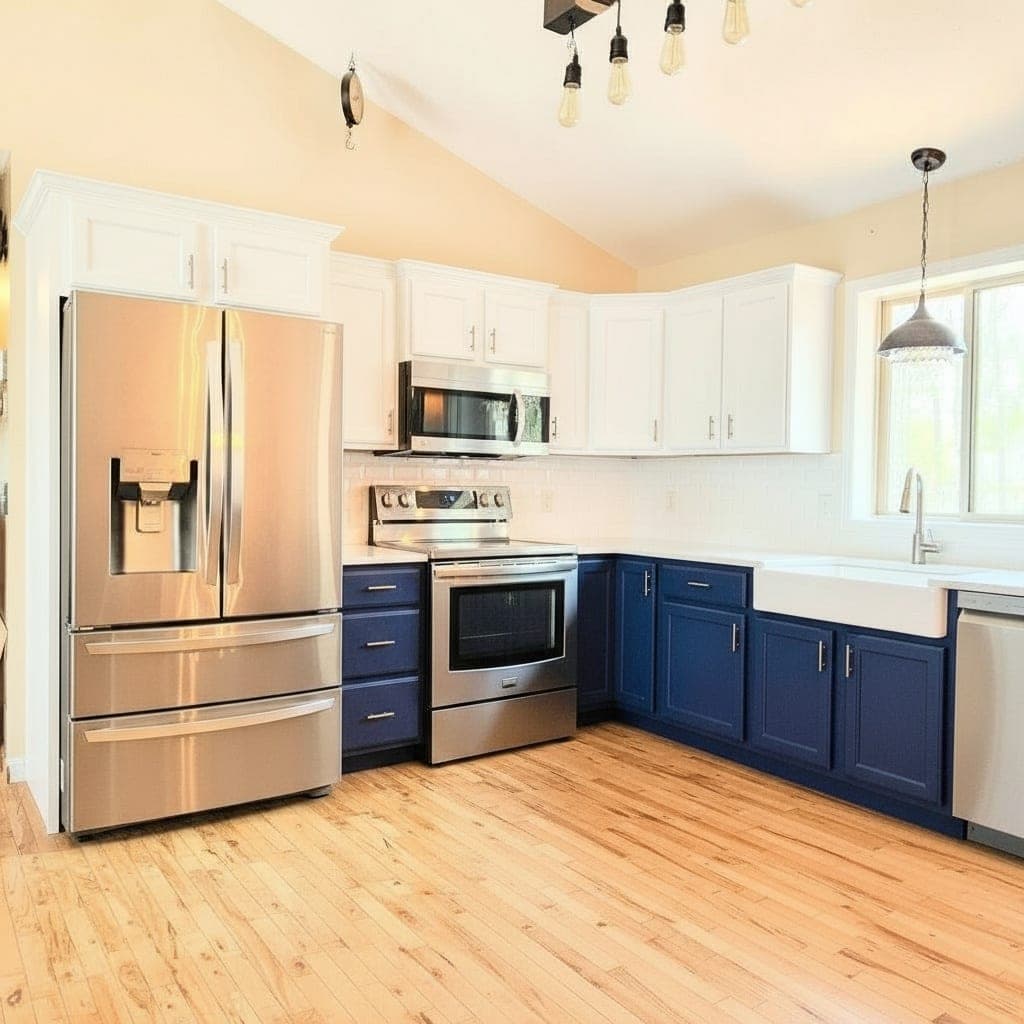
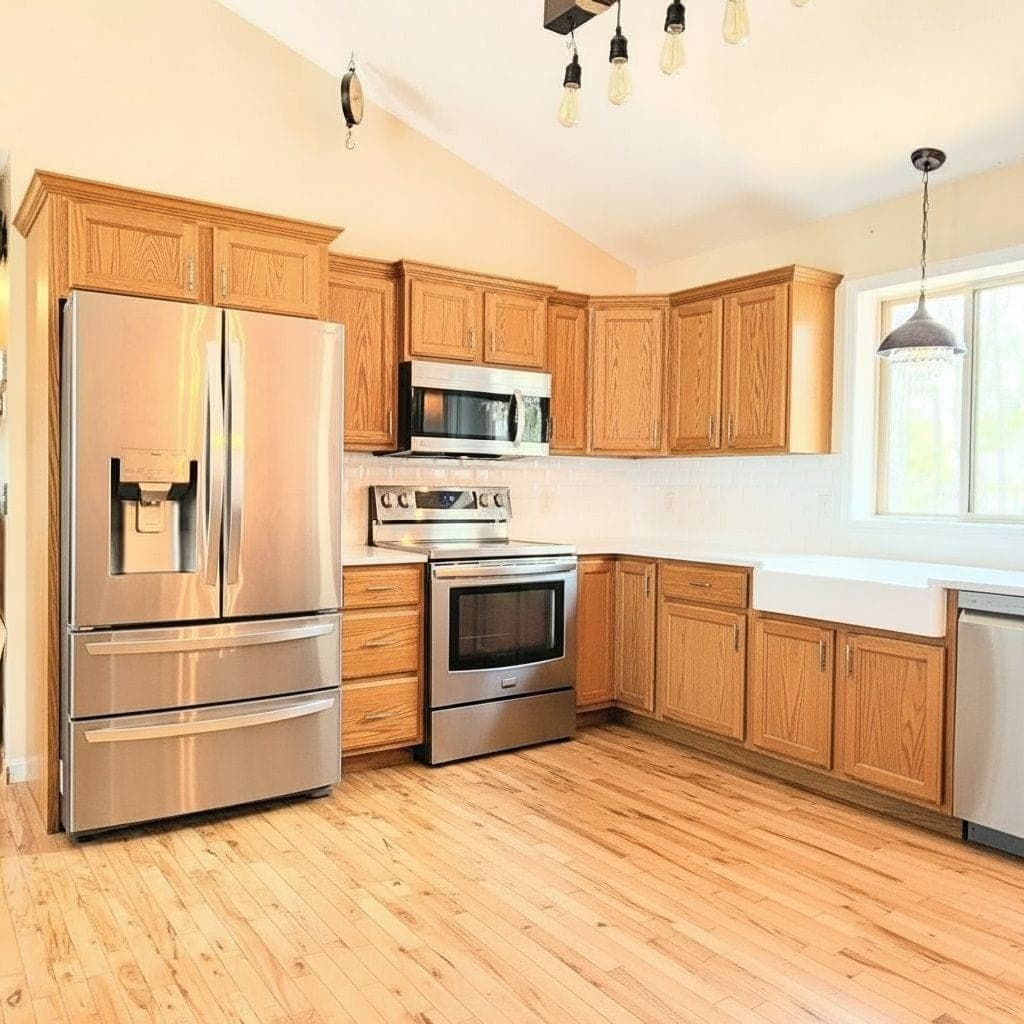
Your website doesn't capture leads, it just lists you.
Most painter websites have the same three things: a hero photo, a list of services, and a contact form at the bottom. Homeowners browse, see your truck wrap photo, and leave without giving you anything you can follow up on.
The homeowner who clicked through your site at 9pm was the right lead. They had a color in mind. They wanted to see what it would look like. Here's what kept them from filling out the form:
- No reason to engage. A photo and a form don't earn an email address.
- Hesitation about price. They think you'll spam them or pressure-call.
- Color uncertainty. They don't know what they want yet, so they're not ready to ask for a quote.
- Comparison shopping. They're on three painter sites. The one that lets them do something gets remembered.
The right play isn't a bigger contact form. It's giving the homeowner something to do on your site that ends with them handing you an email address willingly.
Install in 5 minutes. Captures leads while you're on jobs.
Drop a single embed script on your site (Squarespace, Wix, WordPress, Webflow, ProPainter Websites — anywhere). Homeowners hit your site, try paint colors on their own house, and the moment they generate a render, you capture the lead.
Generate your embed snippet
From the Paintviz dashboard, pick the colors, brands, and lead-capture settings you want. Copy the snippet.
Paste it into your website
One <iframe> tag in your homepage or a dedicated /colors page. Squarespace, Wix, WordPress, Webflow, custom — all supported.
Homeowner finds your site
Organic search, your Google Business Profile, a referral, a door hanger. Doesn't matter where — they land on a page with an interactive visualizer.
They try colors on their own room
Upload a photo of their kitchen, exterior, or living room. Pick a few colors from your brand palettes. Generate renders.
You capture the lead
Email, photos, the colors they tried. Webhook fires into Zapier → your CRM. You follow up the next morning with the colors they were already leaning toward.
“I'd recommend Paintviz to any small contractor. It checks all the boxes.”
An embed-captured lead beats a cold form-fill 4 to 1.
Every CRM in the trade reports the same numbers: leads from a contact form close at 5–8% on a good day. Leads from a homeowner who already engaged with a visualizer (uploaded a photo, picked colors, generated a render) close at 20–35%. The homeowner has already done the hard part — they've decided they want to repaint and they've started picturing colors.
You're not following up with someone who clicked a form by accident. You're following up with someone who spent five minutes thinking about what their kitchen will look like in two-tone cabinets.
Conversion rate. No engagement signal. Email + name only. Often spam or comparison shoppers.
Some intent. No qualification data. Painter answers cold, often during a job.
Homeowner has uploaded photos, tried colors, and asked you to follow up. You know what they want before you call.
The painter who pairs Google Business Profile + an embed widget is running a 24/7 lead engine. The painter who has just a contact form is renting a billboard.
Every embed lead, every color, every timestamp.
When the embed captures a lead, it lands in your Paintviz dashboard alongside the colors the homeowner tried, the photos they uploaded, and the order they tried things in. You also get a webhook that fires into Zapier → your CRM, so the lead shows up in JobNimbus or DripJobs or wherever your sales pipeline lives.
The dashboard tells you which leads are warm. A homeowner who tried one color and left is interest-level zero. A homeowner who tried four colors, saved two, and uploaded photos of both their exterior and a bedroom is calling you back if you follow up by morning.
You're not chasing cold leads anymore. You're triaging warm ones.
Pair it with a QR code on your yard signs, door hangers, or postcards. Same widget, same lead capture, but now your hyperlocal physical marketing is measurable.
Questions painters ask before they start running this play.
How do I embed Paintviz on my painting website?
What data does the embed capture?
Can I limit how many renders each visitor can generate?
Do I need a separate page on my site, or can it go on the homepage?
How does this work with my QR codes on door hangers and yard signs?
Install in five minutes. See your first lead by tomorrow.
14-day free trial. No card today. 30-day money-back guarantee on month one. Pair with Google Business Profile + door hangers for the full hyperlocal lead stack.